
Learn how to install Jellyfin Server on CentOS 8 with our detailed guide. Set up your own media server to stream movies, music, and TV shows effortlessly. #centlinux #linux #jellyfin
Table of Contents
What is Jellyfin?
Jellyfin is an open-source media server software that allows you to manage and stream your personal collection of movies, TV shows, music, and other media. Here are some key features and aspects of Jellyfin:
- Open Source: Jellyfin is completely free and open-source, meaning there are no subscription fees or proprietary software limitations. The source code is available for anyone to inspect, modify, and contribute to.
- Media Management: Jellyfin helps you organize your media files, fetching metadata such as cover art, descriptions, and other information automatically to enhance your media library.
- Multi-Platform Support: Jellyfin is compatible with a wide range of devices and operating systems, including Windows, macOS, Linux, Android, iOS, and various streaming devices like Roku and Fire TV.
- Live TV and DVR: Jellyfin supports live TV and digital video recording (DVR) functionalities, allowing you to watch and record live television channels if you have a compatible tuner.
- User Profiles: You can create multiple user profiles with customizable access controls, ensuring that each member of your household has a personalized media experience.
- Transcoding and Playback: Jellyfin can transcode media on-the-fly, enabling playback on a variety of devices regardless of the original media format. It supports direct play, direct stream, and transcoding to optimize performance and compatibility.
- Web Interface and Apps: Jellyfin offers a web-based interface for easy access from any browser, as well as dedicated apps for various platforms, providing a seamless media streaming experience.
- Community and Plugins: Being open-source, Jellyfin benefits from a vibrant community that contributes plugins and extensions, adding new features and integrations with other services.
Overall, Jellyfin is a versatile and powerful solution for anyone looking to set up a personal media server, offering robust features without the need for a paid subscription.
Jellyfin is open source and distributed under GPLv2 license. The source code is available at Github repository.
Emby vs Jellyfin vs Plex
When choosing between Emby, Jellyfin, and Plex for a media server solution, it’s important to consider their features, pricing, and community support. Here’s a comparison to help you decide:
Emby
Features
- Comprehensive media management with automatic metadata fetching.
- Live TV and DVR capabilities.
- Parental controls and user profiles.
- Transcoding and hardware acceleration support.
- Plugins and extensibility for additional features.
Pricing
- Freemium model: Basic features are free, but advanced features (like DVR, offline sync, and hardware transcoding) require a subscription (Emby Premiere).
Community and Support
- Active community forums.
- Official support for subscribers.
Jellyfin
Features
- Similar to Emby in terms of media management, live TV, DVR, and transcoding.
- Completely open-source, with no premium features locked behind a paywall.
- Plugins and community-driven development.
Pricing
- Completely free and open-source.
Community and Support
- Active open-source community with contributions from users.
- Support mainly through community forums and GitHub.
Plex
Features
- Extensive media management with automatic metadata fetching.
- Live TV and DVR capabilities.
- Premium features like Plex Pass, which offers offline sync, hardware transcoding, and more.
- Integration with various third-party services and plugins.
- Supports a wide range of devices and platforms.
- Advanced user profiles and parental controls.
Pricing
- Freemium model: Basic features are free, but advanced features (like DVR, offline sync, and enhanced music and photo libraries) require a subscription (Plex Pass).
Community and Support
- Large and active user community.
- Official support for Plex Pass subscribers.
- Extensive documentation and third-party resources.
Each option has its strengths, so your choice will depend on your specific needs, preferences for open-source vs. proprietary solutions, and willingness to pay for additional features.
Environment Specification
We are using a minimal CentOS 8 virtual machine with following specifications.
- CPU – 3.4 Ghz (2 cores)
- Memory – 4 GB
- Storage – 40 GB
- Operating System – CentOS 8.3
- Hostname – jellyfin-server.centlinux.com
- IP Address – 192.168.116.230 /24
For experimenting with your Jellyfin Server setup on CentOS 8, we recommend using a reliable Mini PC or a Bluehost VPS. A Mini PC offers a compact, low-power, dedicated device ideal for home labs or small media servers.
[Limited Time Mini PC Offers – Click and Save!]
While a Bluehost VPS provides scalable cloud resources with excellent uptime and remote accessibility.
[Try Bluehost VPS Now – Perfect for Linux & DevOps Enthusiasts!]
Both options ensure you have a stable environment to install and test Jellyfin effectively without impacting your primary systems. If you’re interested, check out these recommended Mini PCs and Bluehost VPS plans through the affiliate links below to support this site at no extra cost to you.
Disclaimer: Some of the links in this post are affiliate links. If you use these links to buy services or products, we may earn a small commission at no additional cost to you, which helps us keep this content free and up-to-date.
Read Also: How to install Apache Kafka on CentOS 8
Update Linux Operating System
Connect with jellyfin-server.centlinux.com as root user by using a ssh client.
It is a best practice to always update your Linux operating system packages before installing a new software.
Use dnf command to update CentOS 8 Linux server as follows.
dnf update -yCheck the Linux operating system and Kernel versions, that are being used in this installation guide.
cat /etc/redhat-release
uname -r
Output:
CentOS Linux release 8.3.2011
4.18.0-240.1.1.el8_3.x86_64
Install EPEL Yum Repository
Some of the packages, that are required by Jellyfin software, are not available in standard yum repositories.
Therefore, you are required to install EPEL (Extra Packages for Enterprise Linux) on your CentOS / RHEL server before installing Jellyfin software.
dnf install -y epel-releaseYou May Also Like: How to install Jellyfin on Rocky Linux 9
Install RPM Fusion Yum Repository
RPM Fusion repository provides add-on packages for Fedora and Red Hat based Linux distributions. It provides both free and commercial software packages.
Jellyfin media server requires some software packages from RPM Fusion repository, therefore you have to install it by executing following command at Linux bash prompt.
dnf install -y https://mirrors.rpmfusion.org/free/el/rpmfusion-free-release-8.noarch.rpm https://mirrors.rpmfusion.org/nonfree/el/rpmfusion-nonfree-release-8.noarch.rpmEnable PowerTools Yum Repository in CentOS 8
PowerTools repository is not enabled by default in CentOS / RHEL 8 operating system. However, there are some software that have dependencies in PowerTools yum repository.
Execute following Linux command to enable PowerTools repository.
dnf config-manager --enable powertoolsBuild cache for newly installed yum repositories.
dnf makecacheInstall Jellyfin Prerequisites
If you have correctly setup the third party yum repositories on your Linux server then you can install the Jellyfin prerequisite packages very easily.
Jellyfin media server requires Simple DirectMedia Layer (SDL), which is a cross-platform software development library designed to provide a hardware abstraction layer for computer multimedia hardware components.
SDL2 software is available in PowerTools yum repository, therefore execute dnf command and install it on your Linux server.
dnf install -y SDL2Jellyfin media server also requires ffmpeg software packages.
FFmpeg is a free and open-source software project consisting of a large suite of libraries and programs for handling video, audio, and other multimedia files and streams. At its core is the FFmpeg program itself, designed for command-line-based processing of video and audio files.
Install ffmpeg by using dnf command.
dnf install -y ffmpeg ffmpeg-develInstall Jellyfin Server on CentOS 8
Jellyfin is a free software, therefore you can download from their official website.
By using wget command, download the Jellyfin server RPM on your Linux server.
wget https://repo.jellyfin.org/releases/server/centos/stable/server/jellyfin-server-10.7.0~rc2-1.el7.x86_64.rpmSimilarly, download the web client package by using wget command. This package provides the Web UI for Jellyfin media server.
wget https://repo.jellyfin.org/releases/server/centos/stable/web/jellyfin-web-10.7.0~rc2-1.el7.noarch.rpmInstall Jellyfin server package on your Linux operating system by using following dnf command.
dnf localinstall -y jellyfin-server-10.7.0~rc2-1.el7.x86_64.rpmSimilarly, install Jellyfin web package on your Linux server.
dnf localinstall -y jellyfin-web-10.7.0~rc2-1.el7.noarch.rpmEnable and start Jellyfin service.
systemctl enable --now jellyfin.serviceVerify the status of the service.
systemctl status jellyfin.serviceConfigure Linux Firewall
Jellyfin service listens on default port 8096/tcp.
To allow incoming traffic to your online media server. You are required to allow the service port in Linux firewall.
firewall-cmd --permanent --add-port=8096/tcp
firewall-cmd --reload
Web Configuration of Jellyfin Media Server
Open URL http://jellyfin-server.centlinux.com:8096 in a web browser.
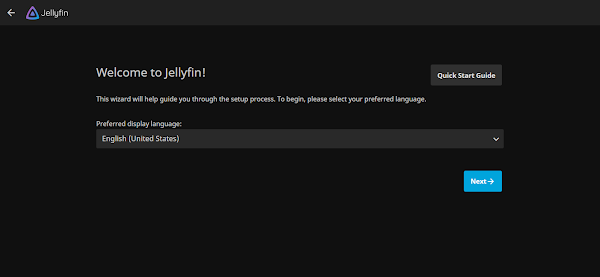
Select your preferred display language and click on “Next”.
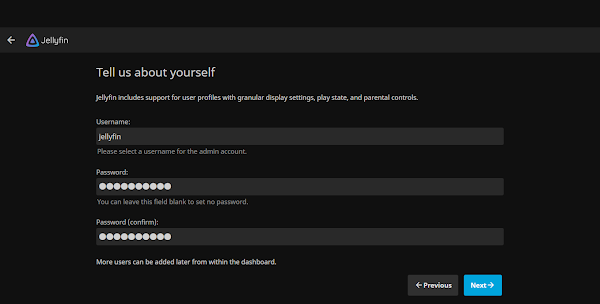
Provide username/password to create an Jellyfin admin user. Click on “Next”.

Add your required Media directories, We are adding three different type of media directories in our media streaming server.
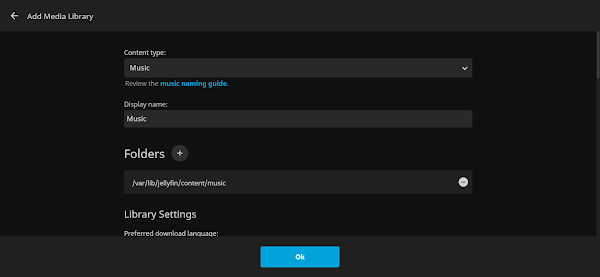
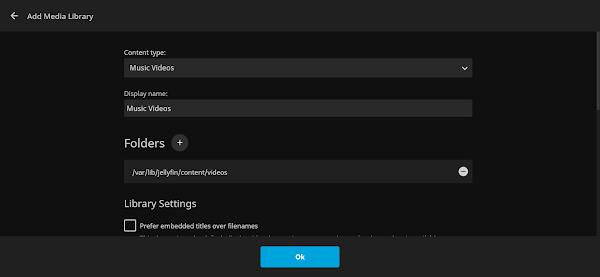
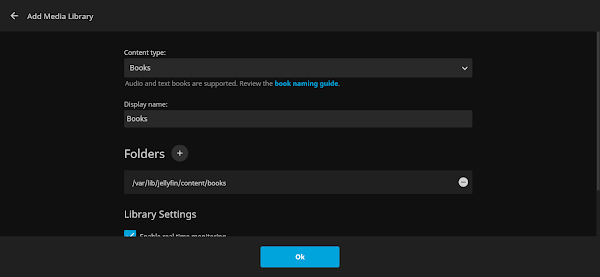
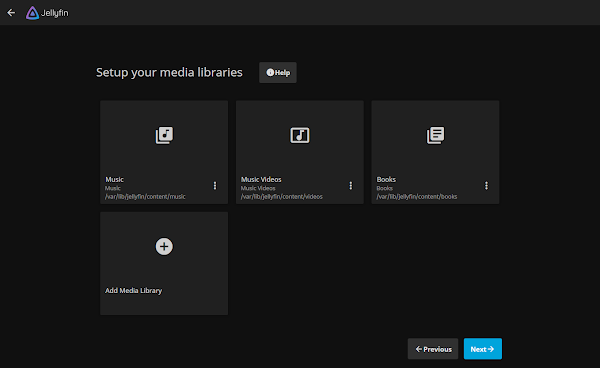
Click on “Next”.

Choose Preferred Metadata Language and click on “Next”.
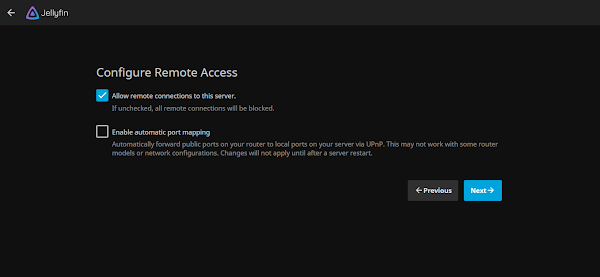
Click on “Next”.
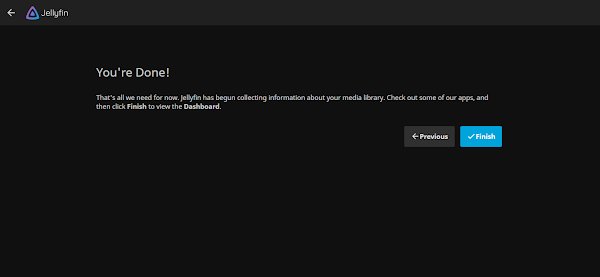
Click on “Finish”.

Click on “Sign In”.
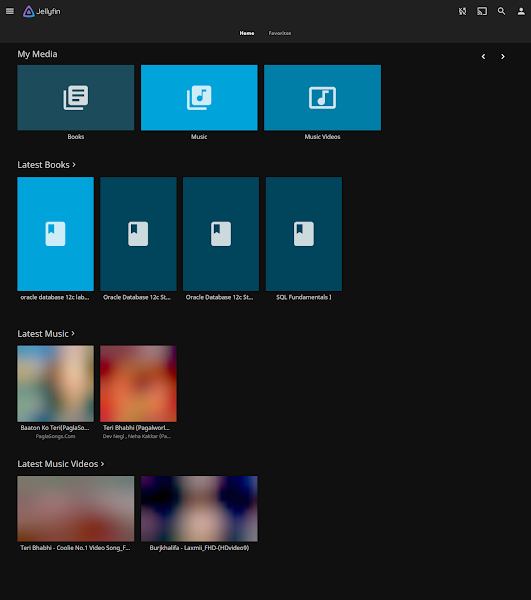
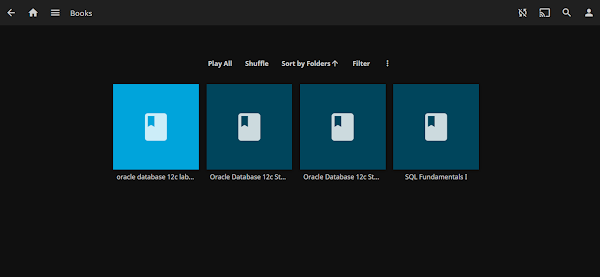
Click on a library to view the content therein.
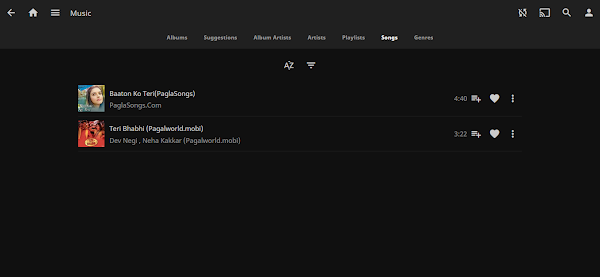
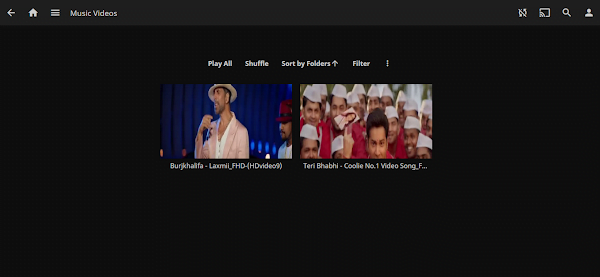
Click on dashboard, to view the details about your media streaming server.
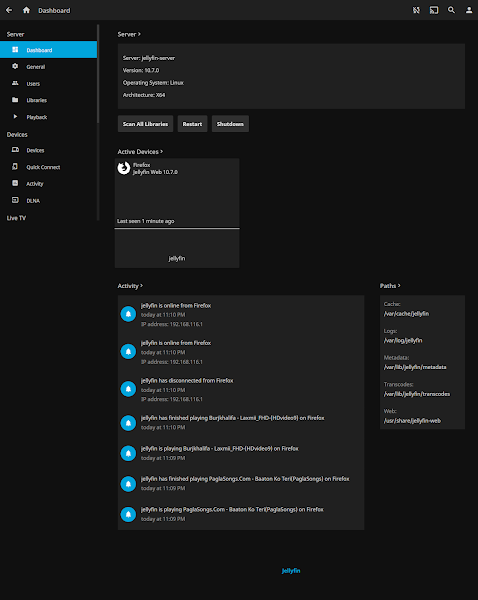
The online media streaming server has been installed and configured on CentOS / RHEL 8.
Final Thoughts
Setting up Jellyfin Server on CentOS 8 can transform your media experience, giving you full control over your personal media library with a powerful, open-source solution. By following this guide, you’ll be able to enjoy seamless streaming and robust media management features tailored to your needs.
Need expert AWS and Linux system administration? From cloud architecture to server optimization, I provide reliable and efficient solutions tailored to your needs. Hire me today!
FAQs
Q1: Can I run Jellyfin on CentOS 8 without a graphical interface?
Yes, Jellyfin runs entirely as a server service and can be managed via a web browser, no GUI required on CentOS 8.
Q2: How do I update Jellyfin on CentOS 8 without breaking my library?
Always back up your config and library data, then update using the official Jellyfin repository commands to avoid data loss.
Q3: Is it necessary to open specific ports on my firewall for Jellyfin?
Yes, usually port 8096 must be open to allow access to Jellyfin from other devices on your network.
Q4: Can I use a database other than the default for Jellyfin on CentOS 8?
By default Jellyfin uses SQLite, but you can configure it to use MySQL or PostgreSQL for larger or multi-user setups.
Q5: How do I enable Jellyfin to start automatically after a server reboot?
Use systemd commands: enable the jellyfin.service to start on boot with
sudo systemctl enable jellyfin
and start it with
sudo systemctl start jellyfin
Recommended Courses
If you’re serious about building a career in IT, the Complete Linux Training Course to Get Your Dream IT Job 2025 by Imran Afzal is one of the best investments you can make in yourself. This highly rated course takes you from the basics of Linux to advanced system administration skills, preparing you for real-world IT roles and certifications.
Whether you’re a beginner or brushing up your skills, the structured lessons, hands-on labs, and career-oriented approach make it a perfect choice to boost your confidence and job readiness. Enroll now and start your Linux journey today!
Disclaimer: This post contains affiliate links. If you purchase through these links, I may earn a small commission at no additional cost to you. This helps support the site and allows me to continue creating valuable content.
One response to “How to install Jellyfin Server on CentOS 8”
Excellent!!!