
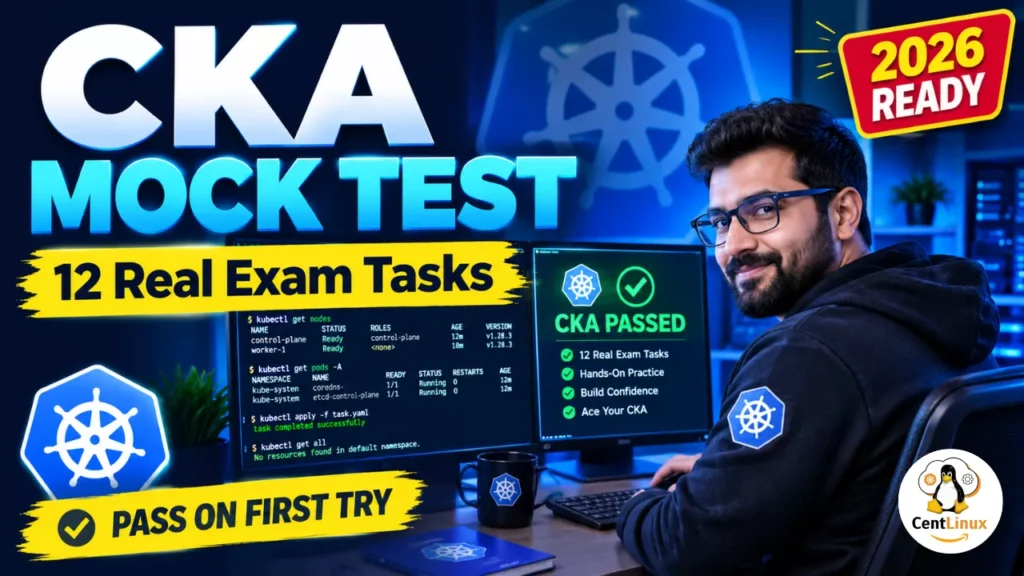
Preparing for the Certified Kubernetes Administrator (CKA) exam? This CKA exam practice test walks through 12 hands-on tasks covering pods, CRDs, services, autoscalers, Helm, and more — with detailed explanations and exam-day advice from a 15+ year Linux veteran. #CentLinux #Kubernetes #CKA
Table of Contents
Why This CKA Practice Test Matters
The CKA exam is 100% performance-based. There are no multiple-choice questions — you’re dropped into a live cluster with a terminal and told to fix, build, and configure things under time pressure. That means CKA exam practice tests are not optional; they’re the entire game.
I hold RHCE, CKA, ISC2 CC, and AWS certifications, and I’ve been working with Linux for over 15 years. If there’s one thing I’ve learned, it’s this: you don’t pass the CKA by reading documentation. You pass it by breaking clusters and fixing them — repeatedly.
This article walks through a full CKA mock test I used during my own preparation. Each task includes the command, an explanation, and practical advice. If you’re targeting the CKA exam in 2026, this is exactly the kind of hands-on practice you need.
💡 Pro Tip: Always run these tasks against a real cluster — kubeadm, kind, or minikube. Muscle memory beats memorization every time.
Task 1: Create a Multi-Container Pod with Shared Volume
The challenge: Create a Pod mc-pod in namespace mc-namespace with three containers sharing a non-persistent volume:
mc-pod-1— nginx:1-alpine, withNODE_NAMEenv var set to the node namemc-pod-2— busybox:1, continuously writingdateoutput to/var/log/shared/date.logmc-pod-3— busybox:1, tailing thedate.logfile to stdout
Solution:
apiVersion: v1
kind: Pod
metadata:
  name: mc-pod
  namespace: mc-namespace
spec:
  containers:
    - name: mc-pod-1
      image: nginx:1-alpine
      env:
        - name: NODE_NAME
          valueFrom:
            fieldRef:
              fieldPath: spec.nodeName
    - name: mc-pod-2
      image: busybox:1
      volumeMounts:
        - name: shared-volume
          mountPath: /var/log/shared
      command:
        - "sh"
        - "-c"
        - "while true; do date >> /var/log/shared/date.log; sleep 1; done"
    - name: mc-pod-3
      image: busybox:1
      command:
        - "sh"
        - "-c"
        - "tail -f /var/log/shared/date.log"
      volumeMounts:
        - name: shared-volume
          mountPath: /var/log/shared
  volumes:
    - name: shared-volume
      emptyDir: {}
Explanation:
- The
fieldRefwithspec.nodeNameis the standard way to inject the node name into a container — a classic CKA exam trick. emptyDir: {}is the go-to for ephemeral shared storage between containers in the same Pod. It’s deleted when the Pod dies, which matches the “non-persistent” requirement.- Notice that
mc-pod-3usestail -fto continuously print the file. A common mistake is usingcat, which exits immediately and causes CrashLoopBackOff.
Advice: In the CKA exam, multi-container Pods are a staple. Running a multi-container directly using imperative commands is not possible. Therefore, it is good idea to generate a single pod YAML by using imperative commands and then add the other containers in the YAML using nano or vi text editor.
Task 2: Install cri-docker on node01
The challenge: SSH into node01 (User credentials: bob/caleston123) and install the cri-docker_0.3.16.3-0.debian.deb package located in /root. Ensure the cri-docker service is running and enabled on boot.
Solution:
ssh bob@node01
sudo su -
sudo apt install ~/cri-docker_0.3.16.3-0.debian.deb
systemctl enable --now cri-docker
Explanation:
apt install ~/package.debinstalls a local.debfile along with its dependencies (unlikedpkg -i, which leaves dependency issues unresolved).systemctl enable --nowis a two-in-one: it starts the service immediately and enables it for boot. Memorize this pattern — it appears constantly in CKA tasks.
Advice: In the real CKA exam, you may need to install container runtimes, kubeadm, kubelet, or kubectl. Always verify with systemctl status cri-docker and systemctl is-enabled cri-docker before moving on. Don’t assume the install worked.
Read Also: CKA Exam Tasks: Complete Step-by-Step Solutions
Task 3: Identify VerticalPodAutoscaler CRDs
The challenge: On the controlplane node, identify all CRDs related to VerticalPodAutoscaler and save their names to /root/vpa-crds.txt.
Solution:
kubectl get crd -o custom-columns=NAME:metadata.name | grep autoscaling > /root/vpa-crds.txtExplanation:
kubectl get crdlists all Custom Resource Definitions.-o custom-columns=NAME:metadata.namestrips the output to just the CRD names — clean and script-friendly.grep autoscalingfilters for VPA-related CRDs (likeverticalpodautoscalers.autoscaling.k8s.io).
Advice: The CKA loves -o custom-columns and -o jsonpath. Get comfortable with both. A more precise alternative would be:
kubectl get crd -o name | grep verticalpodautoscaler > /root/vpa-crds.txtAlways double-check your output file with cat before moving on — a single typo can cost you the task.
Task 4: Expose a Pod as a Service (Imperative)
The challenge: Create a service messaging-service exposing the messaging pod on port 6379 in the default namespace. Use imperative commands.
Solution:
kubectl expose pod messaging --port=6379 --name messaging-serviceExplanation:
kubectl exposeis the fastest way to create a Service from an existing resource.--portsets the Service port. Since no--target-portis specified, it defaults to the same port.- The Service type defaults to
ClusterIP, which is correct here since the task says “within the cluster.”
Advice: In the CKA exam, imperative commands save minutes. The exam explicitly rewards speed. Memorize these:
kubectl expose pod <name> --port=<port> --name=<svc-name>
kubectl expose deploy <name> --port=<port> --type=NodePort
But always verify the Service selector matches the Pod labels — if it doesn’t, the Service will have no endpoints.
Task 5: Create a Deployment
The challenge: Create a deployment hr-web-app using image centlinux/webapp-color with 2 replicas.
Solution:
kubectl create deployment hr-web-app --image=centlinux/webapp-color --replicas=2Explanation:
kubectl create deploymentis the imperative shortcut. It generates the Deployment with the correct selector matching the pod template labels.--replicas=2sets the desired count.
Advice: The kubectl create family is your best friend in the CKA exam. For anything beyond a trivial resource, use --dry-run=client -o yaml > file.yaml, edit, then apply. This is the single most important CKA workflow to master.
Task 6: Troubleshoot a Broken Application
The challenge: A new application orange is deployed, but something is wrong. Identify and fix the issue.
Solution: The issue was a spelling mistake in the sleep command within an InitContainer.
Explanation:
- InitContainers run to completion before the main containers start. If an InitContainer fails, the Pod stays in
Init:ErrororInit:CrashLoopBackOff. - Common causes: typos in commands, wrong image, missing volume mounts, or incorrect file paths.
Diagnostic workflow:
kubectl get pods
kubectl describe pod orange
kubectl logs orange -c <init-container-name>
Advice: This is the heart of the CKA exam. Roughly 30% of tasks involve troubleshooting. Build a mental checklist:
kubectl get pods -o wide— what’s the status?kubectl describe pod— check Events at the bottom.kubectl logs— check container logs (use-cfor multi-container Pods).kubectl get events --sort-by=.metadata.creationTimestamp— cluster-wide view.
With 5+ years in Kubernetes, I can tell you: 90% of “broken” Kubernetes workloads are typos, wrong labels, or misconfigured probes. Slow down and read carefully.
Task 7: Expose a Deployment as NodePort
The challenge: Expose hr-web-app as a service hr-web-app-service, accessible on port 30082 on the nodes. The app listens on port 8080.
Solution:
kubectl expose deployment hr-web-app --type=NodePort --port=8080 --dry-run=client -o yaml > hr-web-app-service.yamlThen edit the YAML:
apiVersion: v1
kind: Service
metadata:
  labels:
    app: hr-web-app
  name: hr-web-app-service
spec:
  ports:
  - port: 8080
    protocol: TCP
    targetPort: 8080
    nodePort: 30082
  selector:
    app: hr-web-app
  type: NodePort
Explanation:
--dry-run=client -o yamlgenerates the manifest without creating it — perfect for editing.- NodePort range is 30000–32767 by default.
30082falls within range. portis the Service port;targetPortis the container port;nodePortis the external port on each node.
Advice: The --dry-run=client -o yaml > file.yaml pattern is the most important CKA exam technique. Learn it, love it. It turns impossible-from-memory YAML file into a quick edit job.
Task 8: Create a Persistent Volume
The challenge: Create a PV pv-analytics with 100Mi storage, ReadWriteMany access mode, and hostPath /pv/data-analytics.
Solution:
apiVersion: v1
kind: PersistentVolume
metadata:
  name: pv-analytics
  labels:
    type: local
spec:
  storageClassName: manual
  capacity:
    storage: 100Mi
  accessModes:
    - ReadWriteMany
  hostPath:
    path: "/pv/data-analytics"
Explanation:
capacity.storagedefines the size.accessModes— RWX (ReadWriteMany) allows multiple nodes to mount read-write. Note:hostPathdoesn’t truly support RWX across nodes, but for exam purposes, you follow the spec.hostPathis a node-local volume — fine for single-node test clusters.
Advice: PVs and PVCs are guaranteed CKA topics. Know the access modes cold: RWO, ROX, RWX, RWOP. Also understand storageClassName matching between PV and PVC, and what happens when there’s no matching PV (PVC stays Pending).
Read Also: KYAML: Complete Guide to Kubernetes YAML
Task 9: Create a Horizontal Pod Autoscaler (HPA)
The challenge: Create an HPA webapp-hpa for kkapp-deploy in the default namespace, targeting 50% CPU utilization, with a 300-second scale-down stabilization window. Use the webapp-hpa.yaml file in the root folder.
Solution:
apiVersion: autoscaling/v2
kind: HorizontalPodAutoscaler
metadata:
  name: webapp-hpa
  namespace: default
spec:
  scaleTargetRef:
    apiVersion: apps/v1
    kind: Deployment
    name: kkapp-deploy
  minReplicas: 2
  maxReplicas: 10
  metrics:
  - type: Resource
    resource:
      name: cpu
      target:
        type: Utilization
        averageUtilization: 50
  behavior:
    scaleDown:
      stabilizationWindowSeconds: 300
Explanation:
- Use
autoscaling/v2—v1doesn’t support behavior policies. behavior.scaleDown.stabilizationWindowSeconds: 300prevents rapid flapping by waiting 5 minutes before scaling down.- The HPA requires the
metrics-serverto be installed and running.
Advice: HPA is a frequent CKA task. The tricky part is remembering the behavior block — most people forget it exists. Also verify with kubectl get hpa and kubectl describe hpa webapp-hpa to ensure metrics are being read.
Task 10: Deploy a Vertical Pod Autoscaler (VPA)
The challenge: Deploy a VPA analytics-vpa for analytics-deployment in the default namespace, with Recreate update mode.
Solution:
apiVersion: autoscaling.k8s.io/v1
kind: VerticalPodAutoscaler
metadata:
  name: analytics-vpa
spec:
  targetRef:
    apiVersion: "apps/v1"
    kind: Deployment
    name: analytics-deployment
  updatePolicy:
    updateMode: "Recreate"
Explanation:
- The VPA API group is
autoscaling.k8s.io/v1— notautoscaling.k9s.io(a typo that appeared in the original mock test!). Watch for typos like this; they’ll cost you the task. updateMode: Recreateevicts pods and recreates them with updated resource requests.- Other modes:
Off,Initial,Recreate,InPlaceOrRecreate,InPlace.
Advice: VPA requires the VPA CRDs and controller to be installed. If kubectl get vpa returns “no matches for kind,” the CRDs aren’t present. In the exam, check kubectl api-resources | grep vertical first.
Task 11: Create a Kubernetes Gateway Resource
The challenge: Create a Gateway web-gateway in namespace nginx-gateway, GatewayClass nginx, with an HTTP listener on port 80 named http.
Solution:
apiVersion: gateway.networking.k8s.io/v1
kind: Gateway
metadata:
  name: web-gateway
  namespace: nginx-gateway
spec:
  gatewayClassName: nginx
  listeners:
  - name: http
    port: 80
    protocol: HTTP
    allowedRoutes:
      namespaces:
        from: All
Explanation:
- The Gateway API is the modern successor to Ingress. It uses
gateway.networking.k8s.io/v1. allowedRoutes.namespaces.from: Alllets routes from any namespace attach to this Gateway.- The GatewayClass must already exist (created by the Gateway controller installation).
Advice: The Gateway API is increasingly common on the CKA exam in 2026. Know the difference between Gateway, HTTPRoute, and GatewayClass. If you’re short on time, prioritize Ingress first, then Gateway API.
Task 12: Update and Upgrade a Helm Chart
The challenge: A coworker deployed podinfo Helm chart kk-mock1 in kk-ns. Update the Helm repository and upgrade the chart to version 6.11.2.
Solution:
helm repo update
helm upgrade kk-mock1 kk-mock1/podinfo --version=6.11.2 -n kk-ns
Explanation:
helm repo updatefetches the latest chart metadata from all configured repositories.helm upgrade <release> <chart> --version=<ver> -n <namespace>upgrades an existing release to a specific chart version.
Advice: Helm appears in the CKA exam (usually one or two tasks). Memorize:
helm repo add <name> <url>
helm repo update
helm search repo <keyword>
helm install <release> <chart> -n <ns>
helm upgrade <release> <chart> --version=<ver> -n <ns>
helm list -n <ns>
helm uninstall <release> -n <ns>
Also, if you need to inspect what a chart would generate before applying: helm template or helm install --dry-run.
Final Thoughts: How to Pass the CKA Exam in 2026
After 15+ years in Linux and multiple certifications under my belt, here’s my honest take on the Kubernetes CKA:
1. Speed is everything
The CKA gives you roughly 2 hours for ~15-20 tasks. That’s ~6-8 minutes per task. Imperative commands and --dry-run=client -o yaml are non-negotiable.
2. Practice on a real cluster
Reading this article isn’t enough. Spin up a cluster and type every command. The CKA is a hands-on exam — treat your practice the same way.
3. Master the troubleshooting flow
get → describe → logs → events. Repeat until it’s instinct.
4. Know your namespaces
Half the mistakes in the CKA come from forgetting -n <namespace>. Set your context and namespace early:
kubectl config set-context --current --namespace=<ns>5. Use the official docs (they’re allowed!)
The CKA allows access to kubernetes.io/docs. Bookmark the YAML reference pages for Pod, Deployment, Service, PV, HPA, and VPA. But don’t rely on them for everything — you won’t have time to read docs for every task.
6. Take multiple mock tests
This CKA practice exam is one of many you should attempt. Variety builds adaptability. Try Killer Coda, Killer.sh, and the official Linux Foundation practice tests.
7. Don’t neglect the new stuff
The CKA exam in 2026 increasingly covers Gateway API, HPA v2 behavior policies, and VPA. Don’t skip these because they’re “new.”
Quick Reference: Commands From This CKA Mock Test
| Task | Command |
|---|---|
| Multi-container Pod | kubectl apply -f mc-pod.yaml |
| Install .deb | apt install ./package.deb |
| Enable service | systemctl enable --now <svc> |
| List CRDs | kubectl get crd -o custom-columns=NAME:metadata.name |
| Expose Pod | kubectl expose pod <name> --port=<port> |
| Create Deployment | kubectl create deployment <name> --image=<img> --replicas=N |
| Expose Deployment | kubectl expose deploy <name> --type=NodePort --port=<port> |
| Generate YAML | kubectl ... --dry-run=client -o yaml > file.yaml |
| Helm repo update | helm repo update |
| Helm upgrade | helm upgrade <release> <chart> --version=<ver> -n <ns> |
Wrapping Up
This CKA mock test covered 12 tasks spanning the breadth of what you’ll face on exam day: multi-container Pods, CRDs, services, deployments, troubleshooting, PVs, HPAs, VPAs, Gateway API, and Helm. If you can complete all of these from memory in under 90 minutes, you’re in excellent shape.
Remember: the CKA isn’t about memorizing YAML — it’s about fluency. Practice until the commands flow from your fingers without conscious thought. That’s when you know you’re ready.
Good luck — and happy clustering.
Recommended Courses
If you’re eager to kickstart your journey into cloud-native technologies, “Kubernetes for the Absolute Beginners – Hands-on” by Mumshad Mannambeth is the perfect course for you. Designed for complete beginners, this course breaks down complex concepts into easy-to-follow, hands-on lessons that will get you comfortable deploying, managing, and scaling applications on Kubernetes.
Whether you’re a developer, sysadmin, or IT enthusiast, this course provides the practical skills needed to confidently work with Kubernetes in real-world scenarios. By enrolling through the links in this post, you also support this website at no extra cost to you.
Disclaimer: Some of the links in this post are affiliate links. This means I may earn a small commission if you make a purchase through these links, at no additional cost to you.
Have questions about CKA prep or want more mock tests? Drop a comment below. And if this helped you, share it with someone else grinding toward their CKA in 2026.




Leave a Reply
You must be logged in to post a comment.